



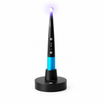

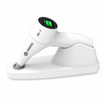
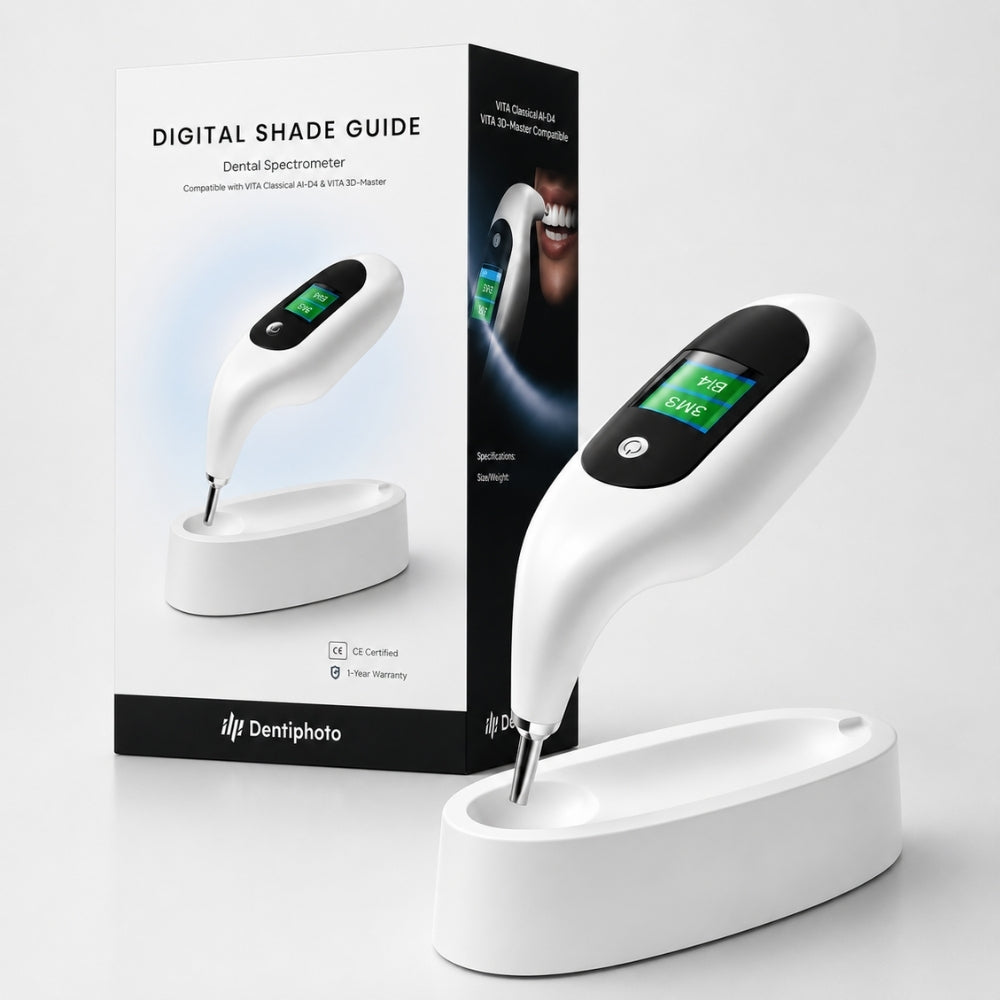
NEU! Digitales Zahnfarbmessgerät – VITA-kompatibel
Zwei VITA-Systeme. Eine Farbbestimmung. Etwa eine Sekunde.
Digitaler Farbschlüssel für Zahnärzte, die es leid sind, mit dem Labor über A2 oder A3 zu diskutieren. Liest VITA Classical A1–D4 und 3D-Master gemeinsam aus – unter dem eigenen Licht des Geräts; die OP-Leuchte, das Tageslicht und der Speichelstopp spielen keine Rolle mehr.
Hauptmerkmale
- Hochpräzise Spektralphotometer-Technologie – Schnelle und zuverlässige digitale Zahnfarbanalyse mit außergewöhnlicher Genauigkeit.
- Kompatibel mit VITA-Farbsystemen – Unterstützt sowohl VITA Classic A1–D4 als auch VITA 3D-Master.
- Digitale Messung in 1 Sekunde – Sofortige Farbanalyse für einen schnelleren klinischen Workflow.
- Adaptive Umgebungslicht-Kompensation – Konsistente Ergebnisse unabhängig von den Lichtverhältnissen.
- Erweiterte Farbdifferenz-Analyse (ΔE) – Verbessert die Restaurationsplanung und die Genauigkeit der Farbauswahl.
- Kabelloses, wiederaufladbares Design – Leicht und ergonomisch für den komfortablen täglichen klinischen Einsatz.
- CE-zertifiziertes Medizinprodukt – Hergestellt gemäß europäischen Sicherheits-, Gesundheits- und Qualitätsstandards.
- 1 Jahr Herstellergarantie – Zuverlässige Leistung und langfristige Sicherheit.
Lieferumfang:
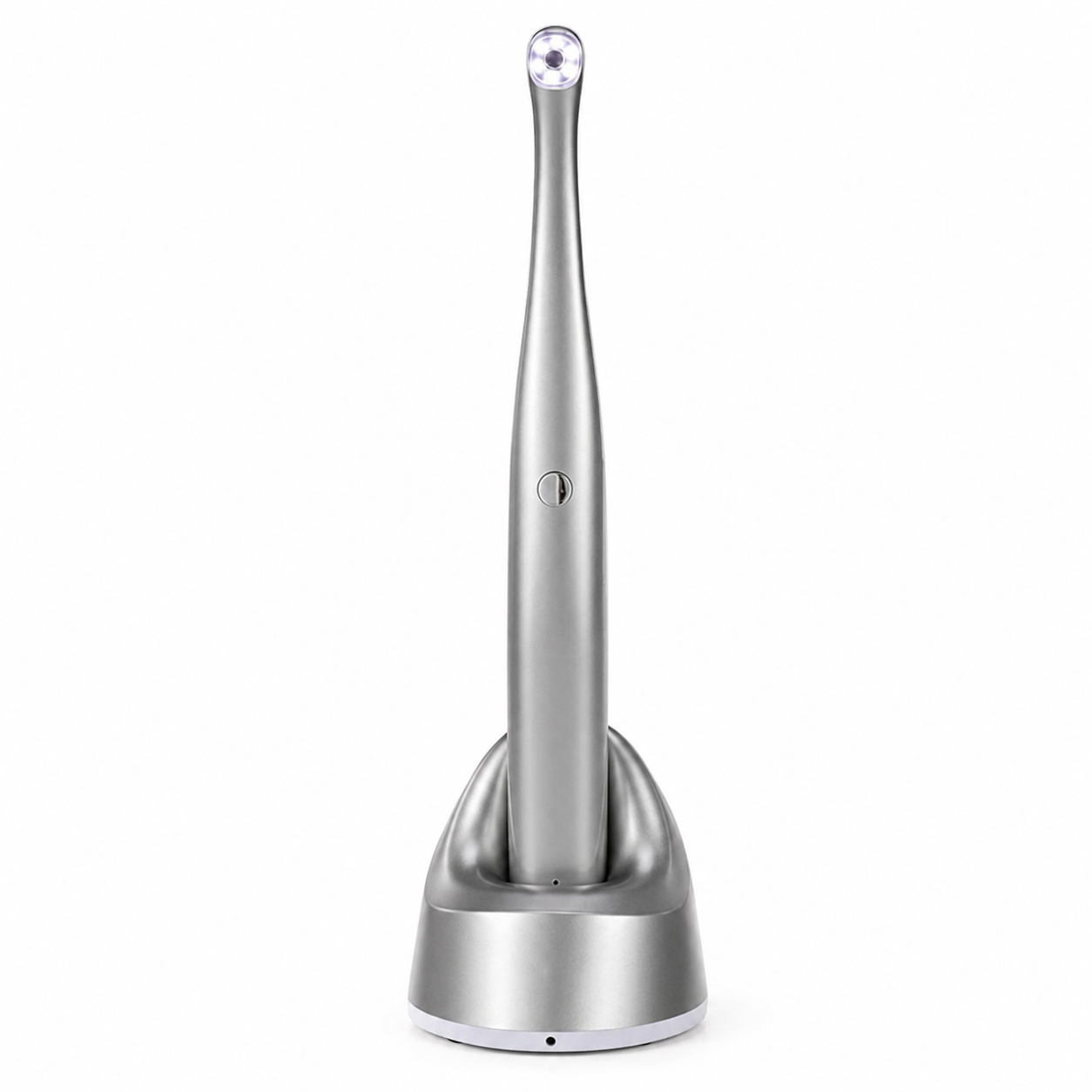
- Digitales Zahnfarbmessgerät ×1
- Ladestation ×1
- Netzadapter ×1
- Bedienungsanleitung ×1
Technische Daten
- Modell: E220
- Technologie: hochpräzises Spektralphotometer
- Kompatible Farbsysteme: VITA Classic A1–D4 & VITA 3D-Master
- Messzeit: ca. 1 Sekunde
- Akku: wiederaufladbarer Lithium-Akku 3,7 V, 1500 mAh
- Netzadapter Eingang: AC 100–240 V, 50/60 Hz
- Netzadapter Ausgang: DC 5 V / 1 A
- Schutzart: IPX0
- Elektrische Schutzklasse: Klasse II
- Anwendungsteil-Typ: Typ B
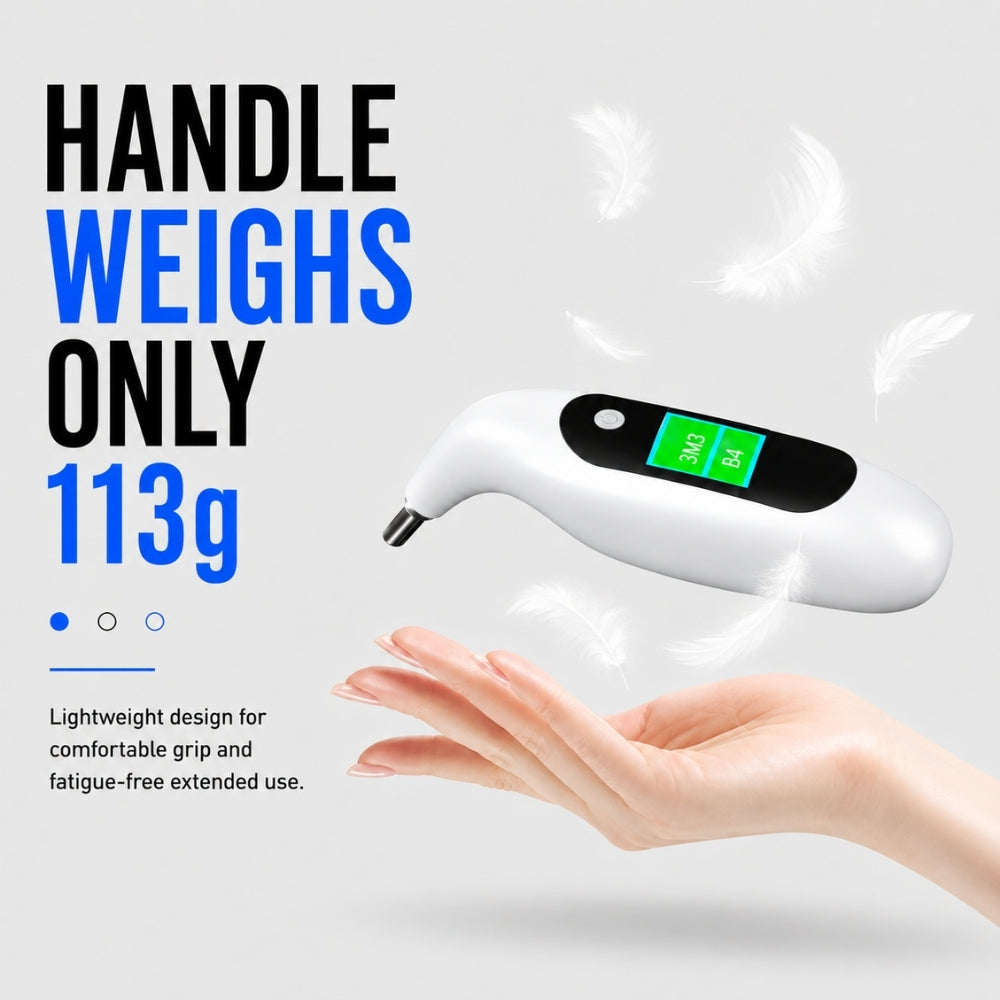
- Gewicht: 112 g ±10 %
- Lademethode: Ladestation
- Garantie: 1 Jahr Herstellergarantie
Kostenloser Versand mit Sendungsverfolgung für dieses Gerät.
Versand innerhalb von 1–2 Werktagen. Die Lieferzeit beträgt in der Regel 3–5 Werktage. Wir versenden aus Lagern in den USA, Europa, Australien und China. Jedes Paket ist versichert – wir garantieren eine 100%ige Zustellung.
Verfolgen Sie Ihr Paket auf der Seite Bestellung verfolgen oder schreiben Sie an support@dentiphoto.com – wir finden es für Sie.
Testen Sie es 30 Tage lang direkt am Behandlungsstuhl. Wenn es sich nicht in Ihrem Arbeitsablauf bewährt, schreiben Sie an support@dentiphoto.com und senden Sie es für eine vollständige Rückerstattung zurück. Keine Wiedereinlagerungsgebühr.
Jedes Gerät verfügt über eine 1-jährige Herstellergarantie. Wir beantworten Supportanfragen innerhalb von 24 Stunden.

Eine Farbabweichung kostet mehr als dieses Gerät
Sie schreiben A2 auf den Laborauftrag. Die Krone kommt einen Halbton zu hell zurück, der Patient sieht es im Spiegel, und Sie müssen einen zweiten Termin vereinbaren und eine Neuanfertigung bezahlen – 150–400 $ und ein unangenehmes Gespräch.
-

Die OP-Leuchte, das Fenster und die Wandfarbe beeinflussen alles, was Sie sehen – derselbe Zahn wirkt um 9 Uhr wie A2 und um 16 Uhr wie A3.
-
Nach acht Patienten sind Ihre Augen müde – die Farbwahrnehmung lässt nach, ohne dass Sie es bemerken.
-
Farbreiter vergilben und nutzen sich im Laufe der Jahre ab – die Anleitung auf deinem Tablett stimmt nicht mehr mit der im Labor überein
-
„A2, etwas wärmer“ auf einem Laborauftrag ist eine Angabe, die der Techniker interpretieren muss – und die Neuanfertigung schlägt auf Ihrer Rechnung zu Buche


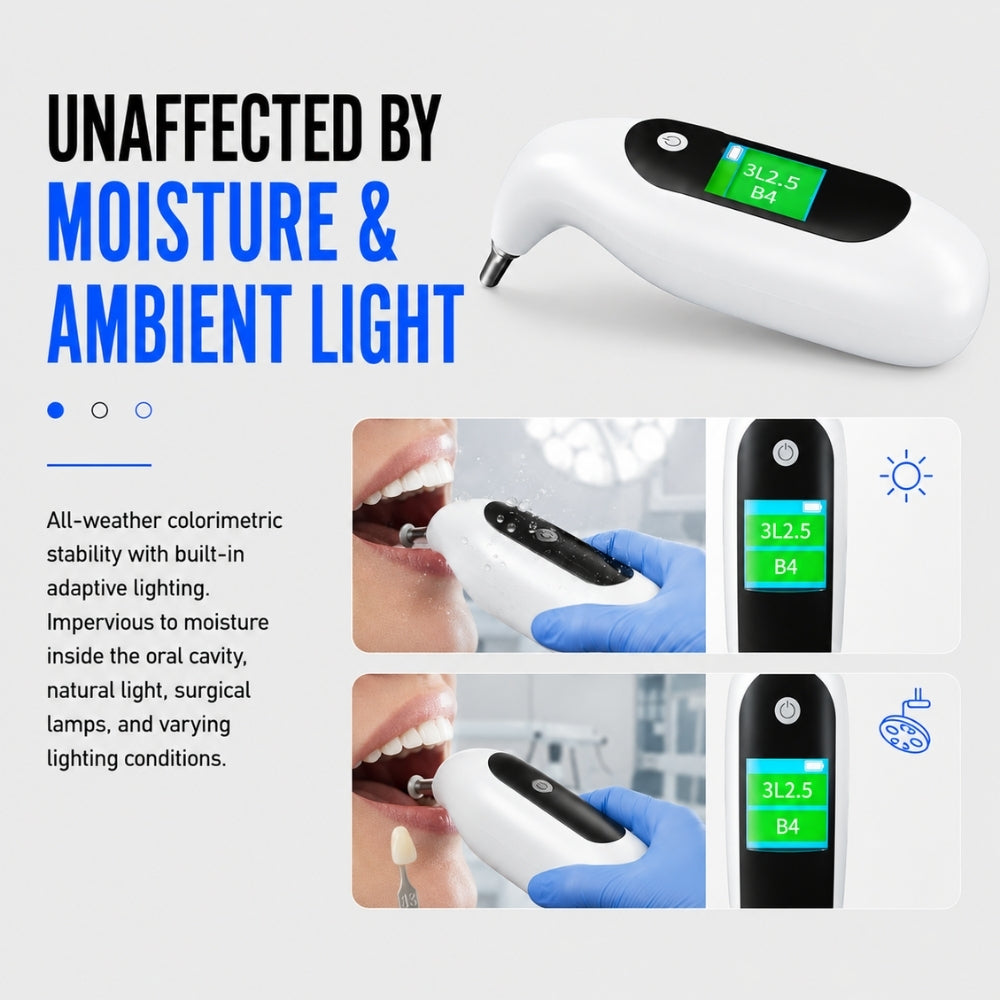
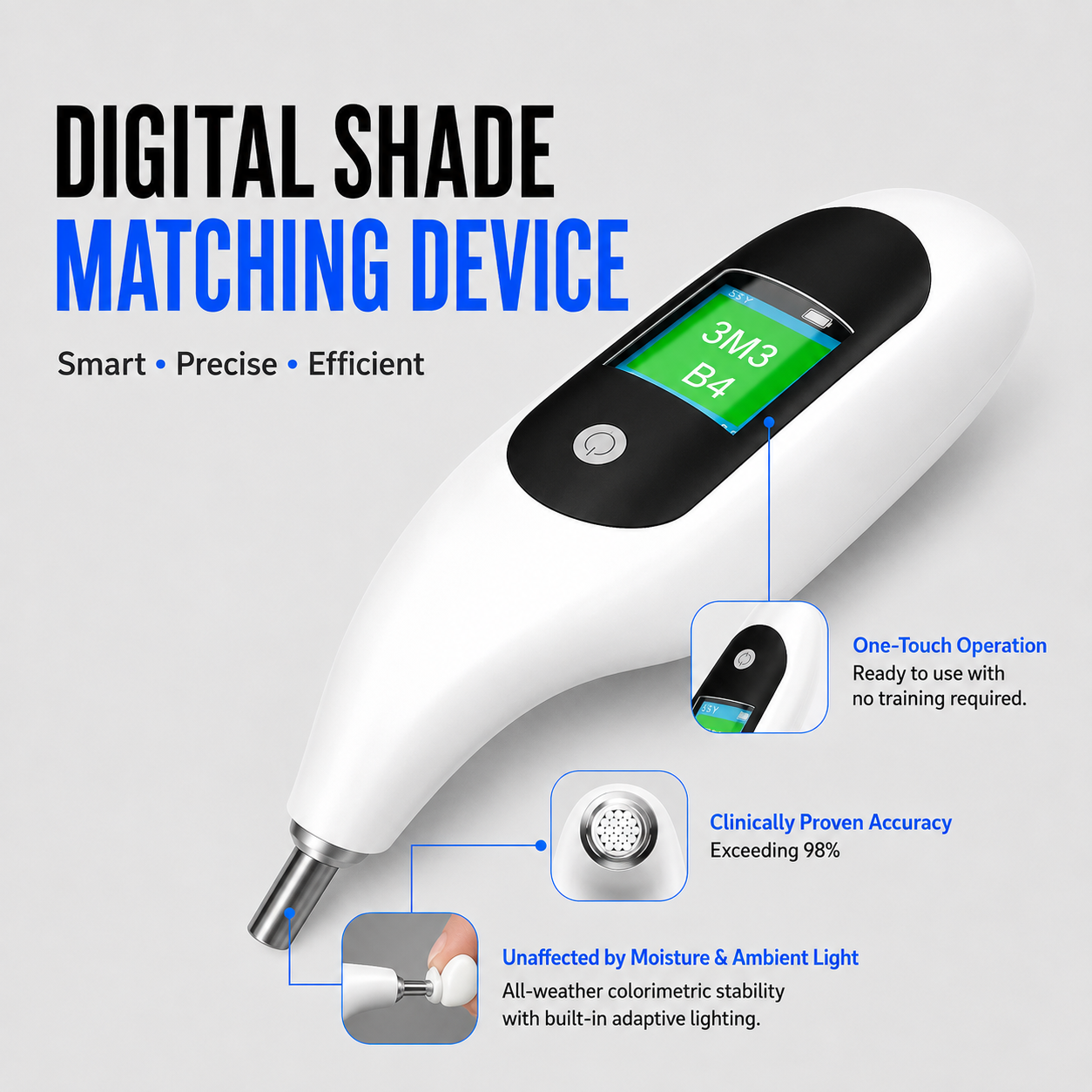
Integrierte adaptive Beleuchtung in der Spitze. Operationsleuchten, Tageslicht und Feuchtigkeit im Mundraum beeinflussen den Messwert nicht – jede Messung erfolgt unter denselben Lichtbedingungen.
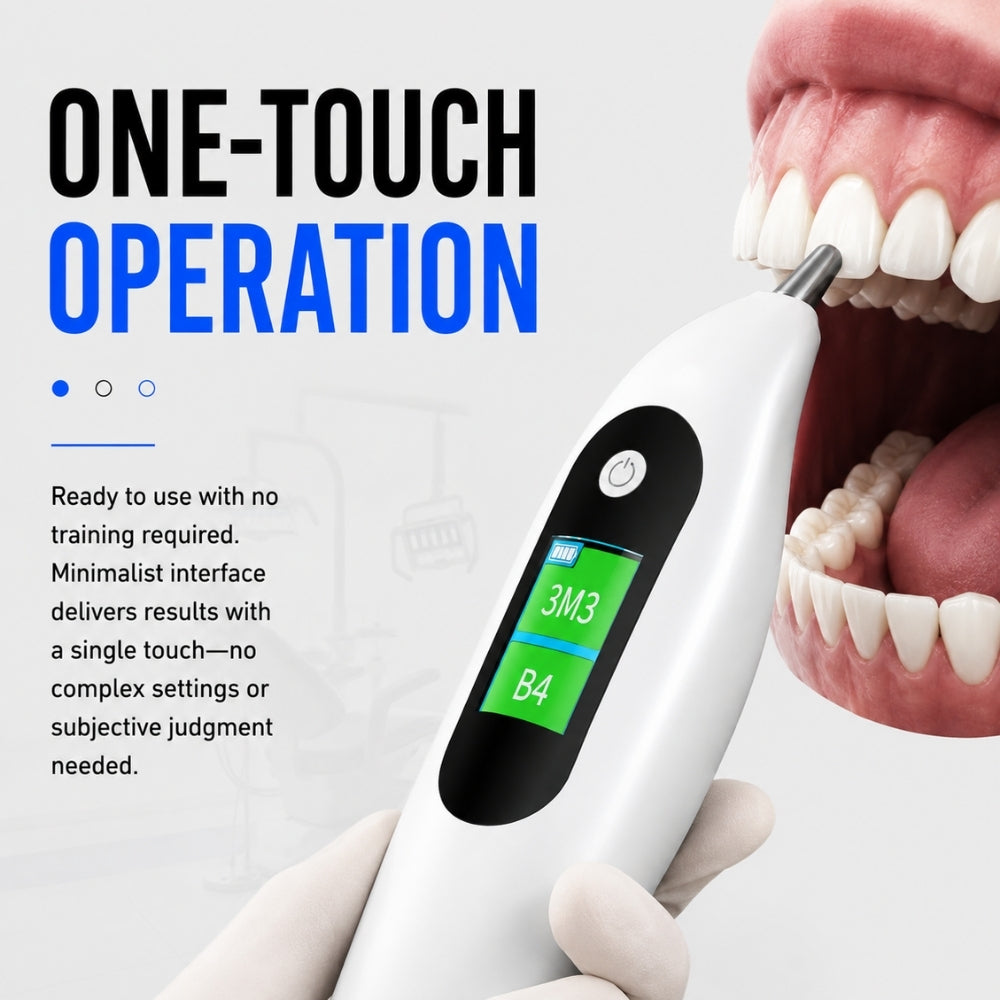
Eine Taste, keine App, kein Bluetooth, keine Schulung. Setzen Sie die Spitze auf das mittlere Drittel des Zahns, drücken Sie die Taste und lesen Sie die Zahnfarbe auf dem HD-Bildschirm ab.

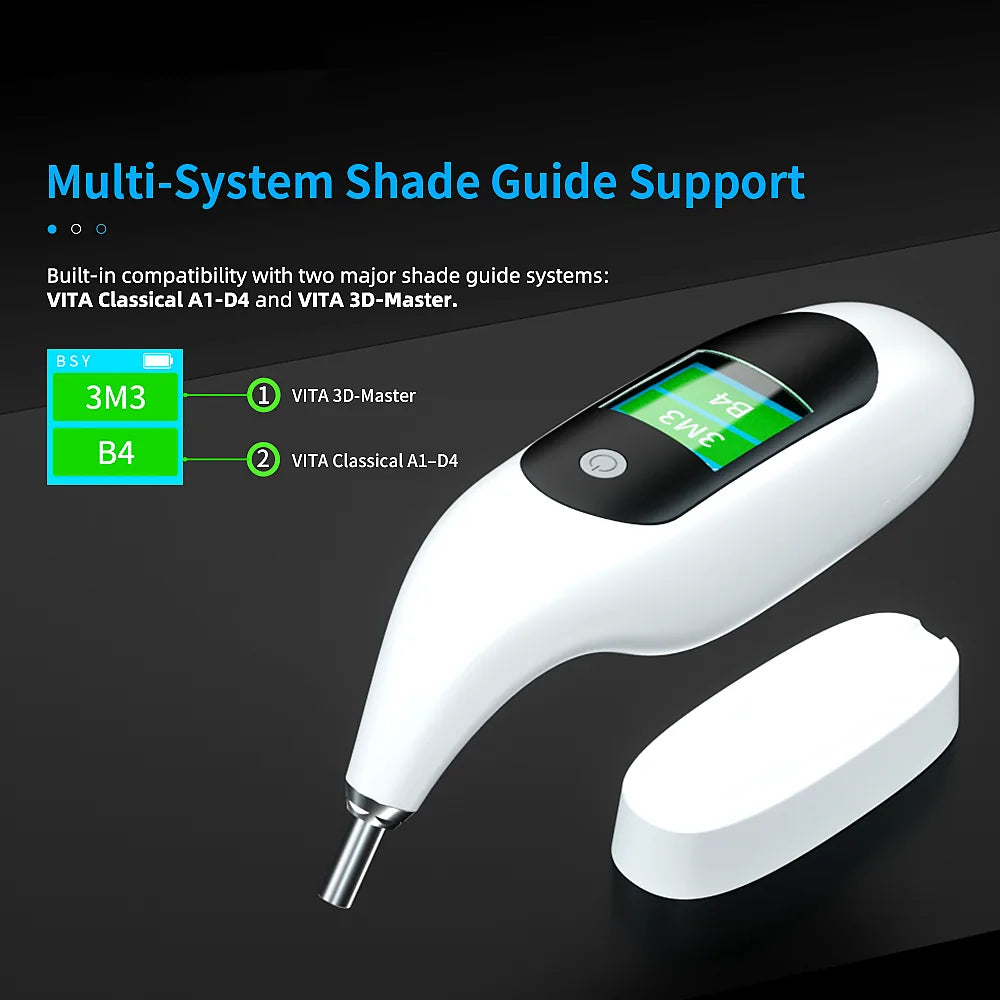
VITA Classical A1–D4 und 3D-Master zusammen auf derselben Anzeige dargestellt. Kein Umschalten des Modus, keine Umrechnungstabelle – tragen Sie beide auf dem Laborauftrag ein.
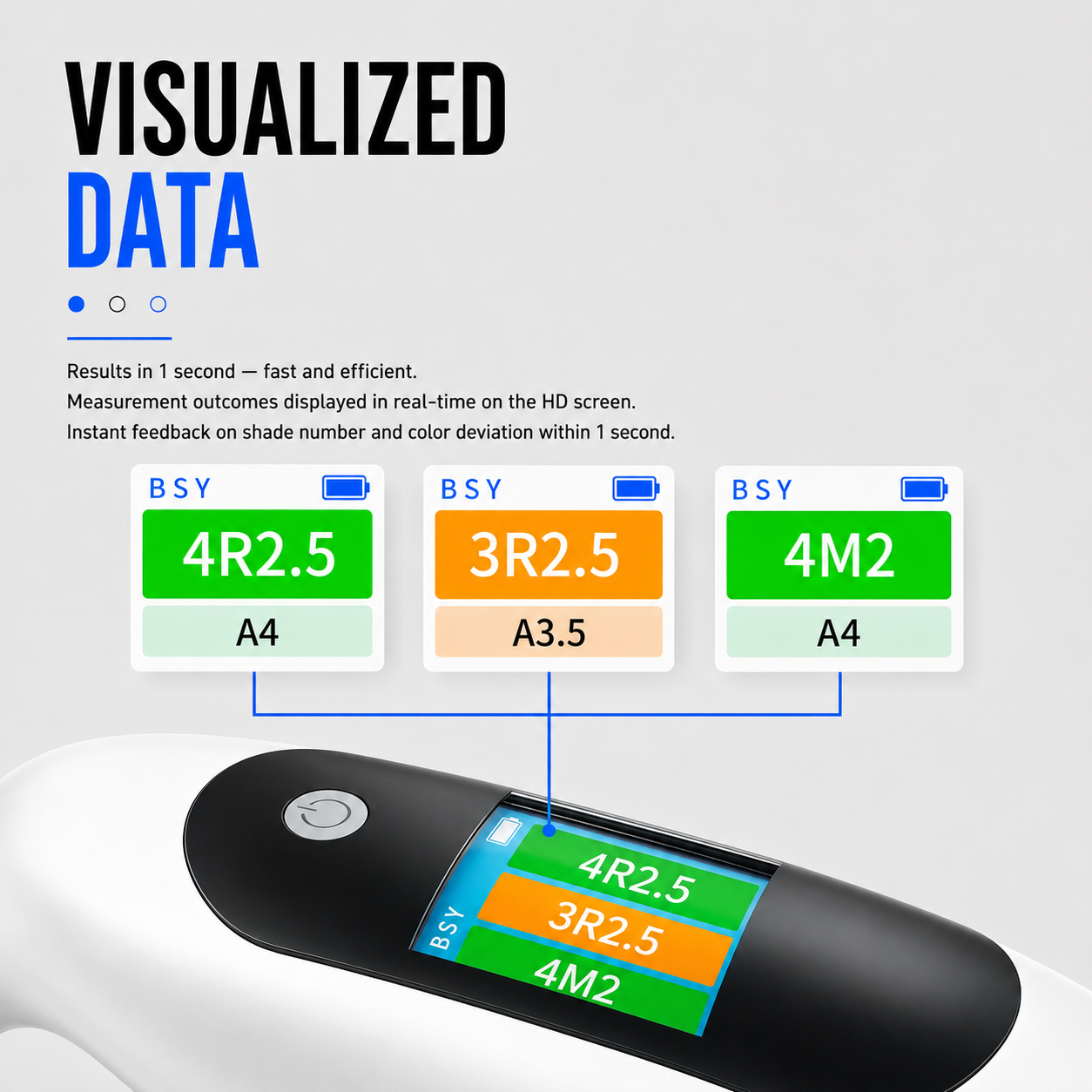
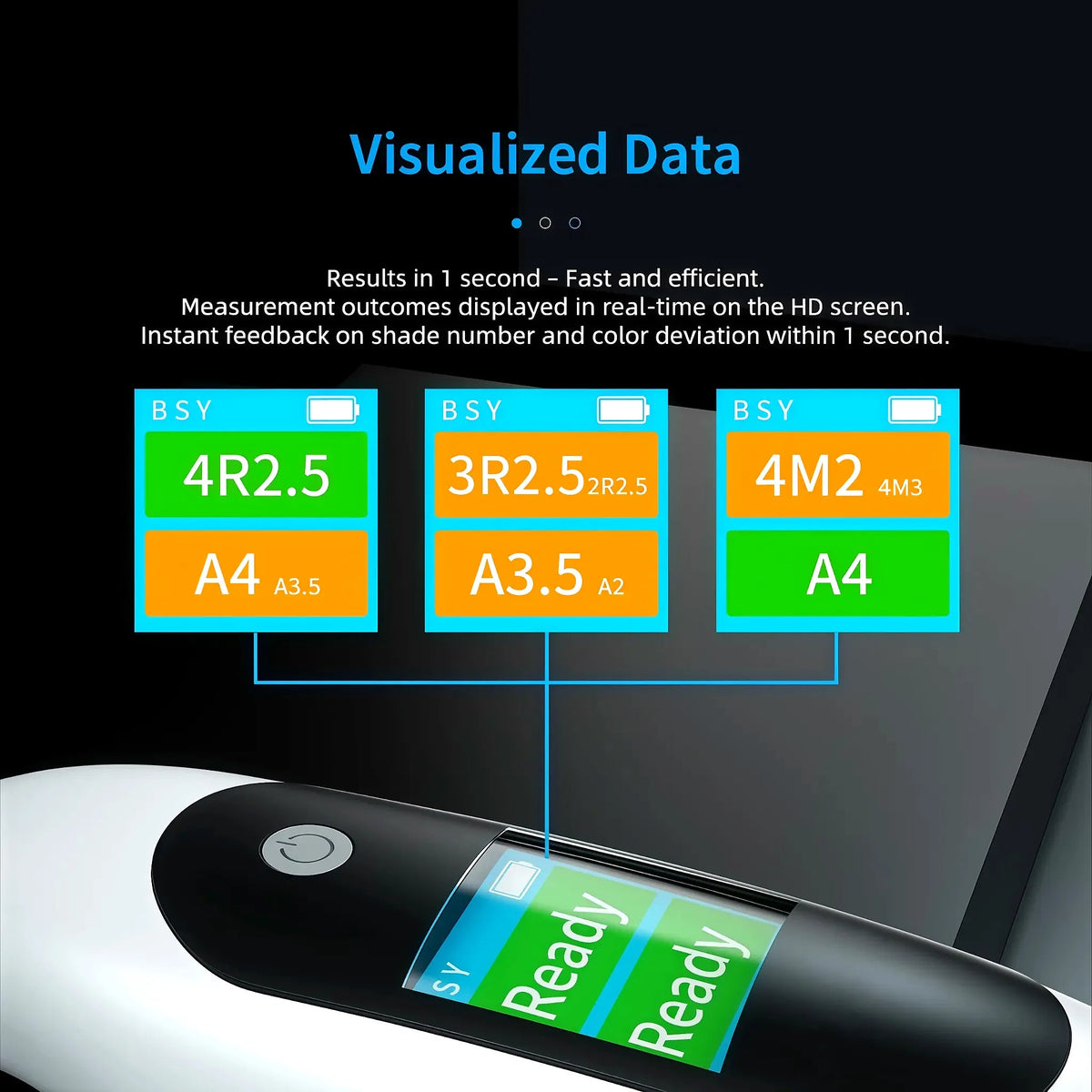
Zeigt den nächstgelegenen Farbton und den zweitnächsten an (z. B. 3R2.5 / 2R2.5). Grün bedeutet eine eindeutige Übereinstimmung, Orange einen Grenzfall – so wissen Sie, wann Sie das Labor informieren sollten.
Technische Daten
Alles, was Sie vor dem Kauf wissen müssen – keine versteckten Details.
Zwei VITA-Systeme. Ein Messwert.
Ihr Labor arbeitet mit 3D-Master. Sie denken in Klassik. Auf dem Bildschirm werden beide gleichzeitig angezeigt – oben 3M3, unten B4 – abgelesen aus derselben Messung. Keine Umrechnungstabelle, keine zweite Messung, kein Anruf des Technikers mit der Frage: „Welches System meinten Sie?“
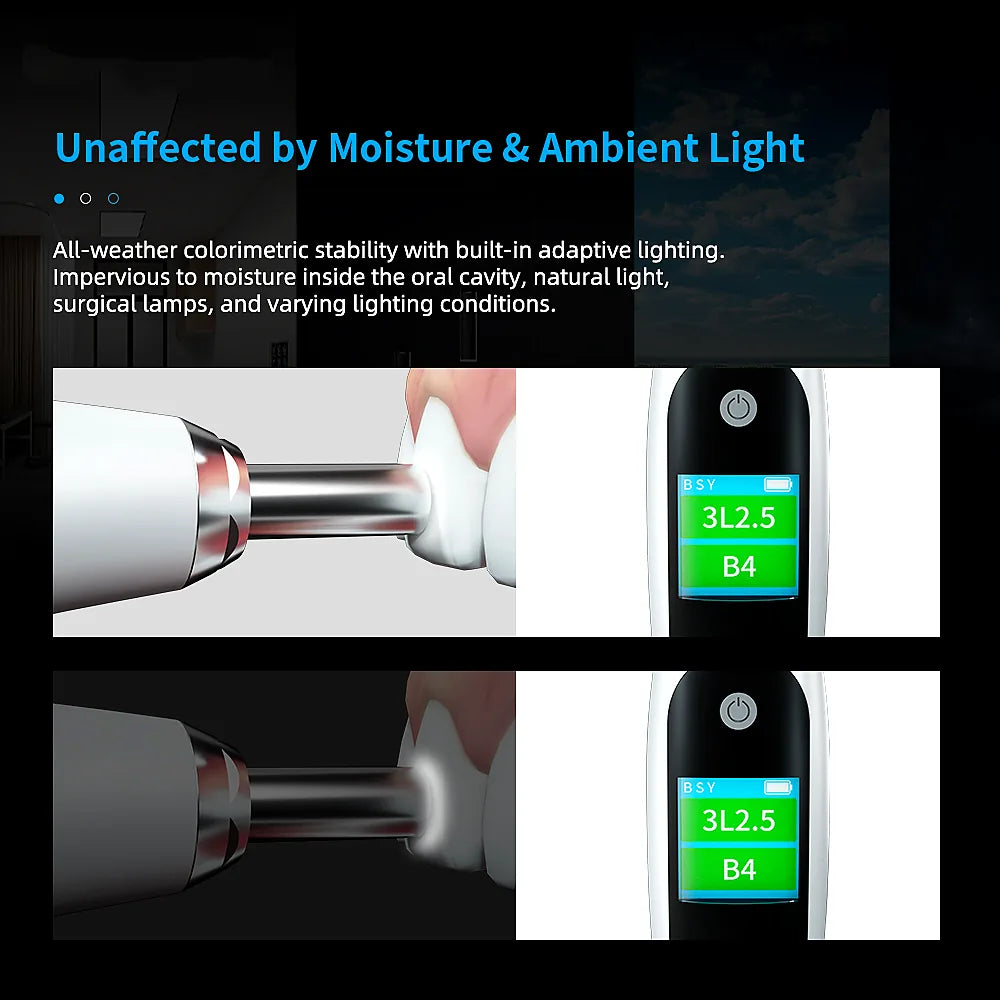
Raumlicht spielt keine Rolle. Speichel spielt keine Rolle.
Die Spitze verfügt über eine eigene adaptive Lichtquelle und dichtet an der Zahnoberfläche ab. Ob die Behandlungslampe ein- oder ausgeschaltet ist, das Fenster nach Norden zeigt oder nicht vorhanden ist, der Zahnschmelz feucht oder trocken ist – der Messwert lautet in jedem Fall 3L2.5 / B4. Führen Sie fünf Messungen hintereinander durch und erhalten Sie fünfmal dieselbe Zahl.
Nicht nur der Farbton – sondern auch, wie nah er ist
Ein Farbmuster ist binär. Ein echter Zahn ist es nur selten. Das Gerät zeigt den nächstliegenden Farbton in großer Schrift und den zweitnächsten daneben: 3R2.5 / 2R2.5, A3.5 / A2. Grün bedeutet eine eindeutige Übereinstimmung. Orange bedeutet, dass der Zahn zwischen zwei Farbmusterstäbchen liegt — tragen Sie beide auf dem Laborauftrag ein, und der Techniker schichtet entsprechend. Das ist der Fall, der früher als Neuanfertigung zurückkam.
Häufig gestellte Fragen
Alles, was Sie vor dem Kauf wissen müssen – Farbsysteme, Genauigkeit, Beleuchtung, Akku, Zertifizierung und Rückgabe.
Welche Farbsysteme liest es ein?
VITA Classical A1–D4 und VITA 3D-Master. Beide Ergebnisse werden nach einer einzigen Messung gleichzeitig auf dem Bildschirm angezeigt, sodass Sie dem Labor das System übermitteln können, mit dem dort gearbeitet wird – oder beide.
Ersetzt es mein Auge und meinen Farbschlüssel?
Nein – es ist für sie eine zweite Meinung. Die meisten Zahnärzte nehmen zuerst die Messung vor und bestätigen sie dann mit der Farbtabelle. Wenn die beiden voneinander abweichen, ist das Gerät dasjenige, das weder vom Behandlungslicht noch vom neunten Patienten des Tages beeinflusst wurde. Die endgültige Farbbestimmung liegt weiterhin in Ihrem klinischen Ermessen – zusammen mit den Fotos und dem Labor.
Wie genau ist es?
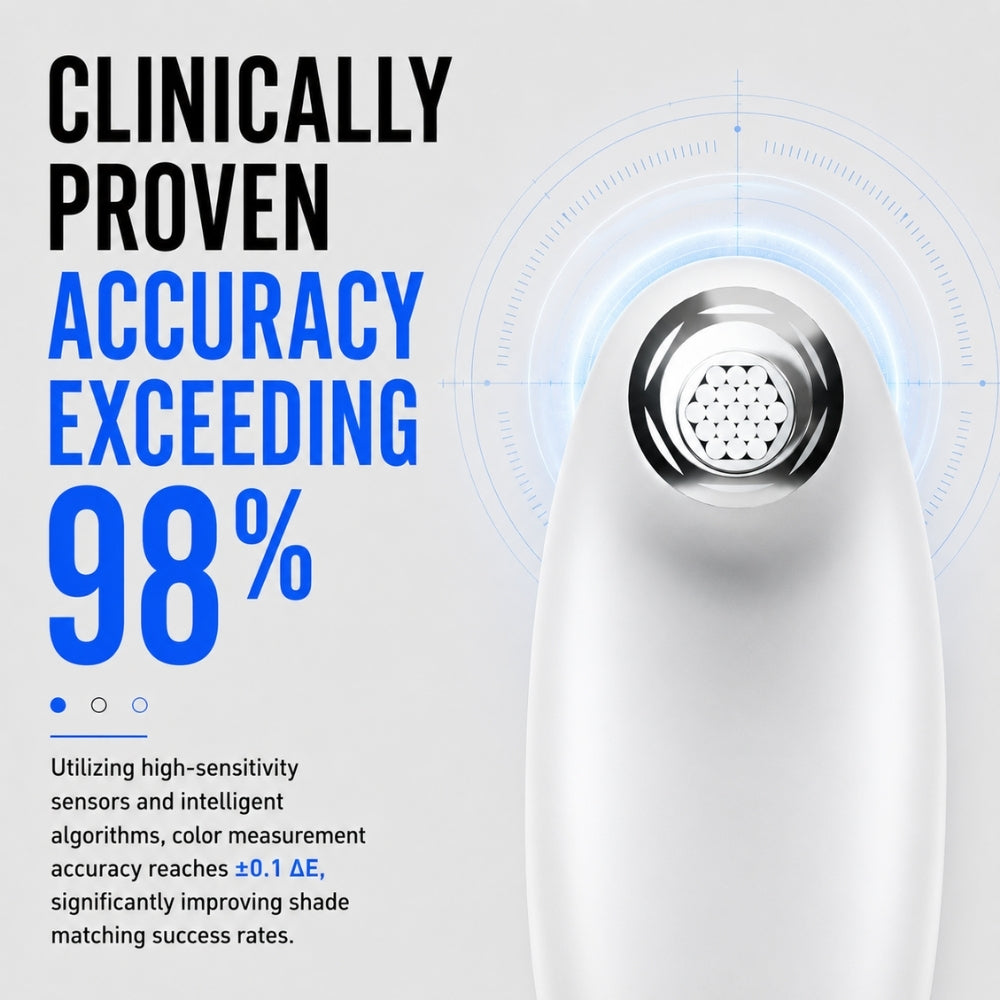
Der Hersteller gibt eine Farbübereinstimmungsrate von über 98 % im Vergleich zu VITA-Referenzstäbchen an. In der Praxis ist die Wiederholbarkeit der entscheidende Vorteil: Misst man denselben Zahn fünfmal, erhält man fünfmal denselben Wert – das schafft ein visueller Abgleich bei wechselnden Lichtverhältnissen nicht.
Beeinflussen die Raumbeleuchtung oder der Speichel den Messwert?
Nein. Die Spitze verfügt über eine eigene adaptive Lichtquelle und liegt flach auf dem Zahn auf, sodass Operationsleuchten, Tageslicht, die Wandfarbe und intraorale Feuchtigkeit die Messung nicht beeinflussen. Platzieren Sie die Spitze im mittleren Drittel der labialen Oberfläche, senkrecht zum Zahnschmelz und entfernt vom Zahnfleisch.
Benötige ich eine App, Bluetooth oder einen Computer?
Nein. Eine Taste, ein Ergebnis auf dem integrierten HD-Bildschirm. Nichts zu koppeln, nichts zu aktualisieren, nichts, was der Assistent lernen muss.
Wie wird es aufgeladen und wie lange hält der Akku?
Integrierter wiederaufladbarer Akku mit 3,7 V / 1500 mAh. Zwischen den Patienten wird das Gerät auf der mitgelieferten Ladestation abgelegt (5-V-/1-A-Adapter, 100–240 V Wechselstrom, in jedem Land verwendbar). Jede Messung dauert etwa eine Sekunde, sodass eine Akkuladung für mehrere Tage normalen Praxisbetriebs ausreicht.
Zertifizierung, Garantie und Rückgaben?
CE-zertifiziertes Gerät, 1 Jahr Herstellergarantie, 30 Tage Geld-zurück-Garantie. Testen Sie es direkt am Behandlungsstuhl; wenn es sich nicht bewährt, schreiben Sie an support@dentiphoto.com und senden Sie es für eine vollständige Rückerstattung zurück – ohne Wiedereinlagerungsgebühr.
Wie schnell wird es an meine Praxis geliefert?
Kostenloser Versand mit Sendungsverfolgung und Versicherung. Versand innerhalb von 2 Werktagen aus unserem Lager in den USA, Europa, Australien oder China; die Lieferzeit beträgt in der Regel 3–7 Werktage.
Weltweit von Zahnmedizinern geschätzt
Erfahren Sie, was Zahnärzte über die Zwei-System-Anzeige, das integrierte Licht und das Ergebnis in nur einer Sekunde sagen.
„Habe dem Labor ‚3M2 / A3.5, zweitnächstes A3‘ geschickt, statt ein Foto und eine Vermutung zu senden. Die erste Krone kam genau richtig zurück. Dieser eine Fall hat es bezahlt gemacht.“

„Ich verlasse mich immer noch auf mein Auge – das ist die zweite Meinung. Wenn wir uns nicht einig sind, nehme ich eine weitere Messung vor, und unter der Behandlungsleuchte lag das Gerät meistens richtig.“
„3D-Master und Classical auf einem Bildschirm – diese Funktion wusste ich gar nicht, dass ich sie brauche. Keine Umrechnungstabelle, kein Wechseln zwischen Modi, beide Zahlen direkt auf dem Laborauftragsformular.“
„Eine Taste, nichts zu koppeln. Meine Assistenz hat die erste Messung ohne jegliche Schulung durchgeführt. Das Gerät steht zwischen den Patienten auf der Basisstation, und ich habe es vielleicht zweimal aufgeladen.“
„Wir haben im Hauptbüro ein Markenspektralfotometer. Bei den von mir verglichenen Gehäusen ergab es denselben Farbton – zu einem Bruchteil des Preises. Ich hätte gern ein Paket Ersatz-Schutzkappen für die Spitze dabei.“
„Veneer-Fall im Frontzahnbereich, mit umfangreicher Bleaching-Vorgeschichte. Die orangefarbene Messung zeigte mir, dass der Zahn zwischen zwei Farbtönen lag, also schickte ich beide mit einer Notiz ins Labor. Keine Neuanfertigung.“
Das könnte Ihnen auch gefallen