






オンラインコース:臨床記録のためのPhotoshop・Lightroomを使った歯科写真編集(英語)
Lightroom、Photoshop、AIツールを使って歯科写真を編集する技術を極めます。
この実践的なコースでは、歯科医師や歯科医療従事者向けに、ワークフローの強化、美観の向上、プロフェッショナルレベルの仕上がりを実現する方法を紹介します。
学習内容
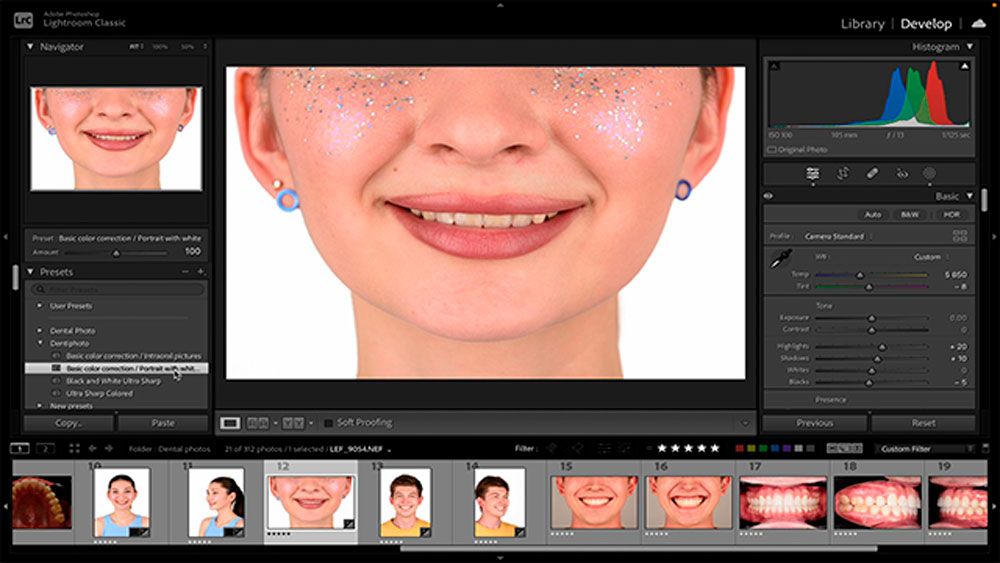
Adobe Lightroomでは:
• 歯科写真の取り込みと整理方法
• 向きを補正し、評価順に並べ替え
• 自然な仕上がりになるようホワイトバランスを調整
• 笑顔をトリミング、位置合わせ、まっすぐに補正
• 修復ツールを使用して肌の blemishes を除去
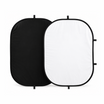
• ブラックコントラスターでコントラストを追加
• 参照ビューを使用して複数のショットを位置合わせ
• AI搭載のマスキングを使用して、きれいな白または黒の背景を作成
• ウェブ、印刷、プレゼンテーション用に最終写真を書き出し

Adobe Photoshopでは:
• 肌を滑らかにし、不要なものを取り除く簡単な編集
• マーケティング素材用に透明な背景を適用
• メイクを自然かつ正確に引き継ぎ
• さまざまな解像度とサイズで写真を書き出し
• 遠近感を補正し、プロポーションを改善
• 高度なプレゼンテーション用に被写界深度マップを作成
• 画質を損なわずに画像を高画質化
ボーナスツールとAI活用術
ワークフローを大幅にスピードアップする、組み込み機能やAIプラグインを使った時間短縮のコツを学びます。
コースへのアクセスと認定
6か月間の無制限アクセス
カスタマイズ可能な修了証明書 📜
送料:
- 49.99ドルまでのご注文 — 送料7.90ドル
- 50ドル以上のご注文 — 送料無料。
お届け日数は7〜14営業日です。
米国、オーストラリア、ヨーロッパ、中国の倉庫から発送します。100%の荷物のお届けを保証します。
配送に関するサポートが必要な場合は、「注文を追跡」ページで荷物を追跡するか、support@dentiphoto.comまでご連絡ください。
すべての荷物に保険が掛けられています。お届けを保証します。
返品:商品は30日以内に返品できます。返品の際は support@dentiphoto.com までご連絡ください。24時間以内に返信します。詳細は返金・返品ポリシーをご覧ください。
お客様の声
「今まで色々なタイプを使ってきましたが、これは柔らかくて柔軟。軟組織を刺激せず、形もしっかり保ちます。このリトラクターにとても満足しています。」

「この買い物にとても満足しています。品質が高く、完璧な状態で届き、期待どおりに動作します。使いやすく、よく設計されています。コスパ抜群!」

「今回のはまだ使っていませんが、以前にも注文したことがあります。撮影には完璧。コントラストが良く、価格も適正 — 歯科用途に間違いなく価値ありです。」

「注文は早く、欠品なく届きました。プラスチックは厚くて高品質。撮影中も唇をしっかり保持し、不快感はありません。素晴らしい製品!」